

Start using your Student's e-Textbook
| 1. | Download and install Oxford iSolution on your device. * e-Textbooks are not supported on smartphones. |
| 2. | Read the License Agreement and check the box to accept the terms of use. Then click/tap ‘Continue’ to proceed.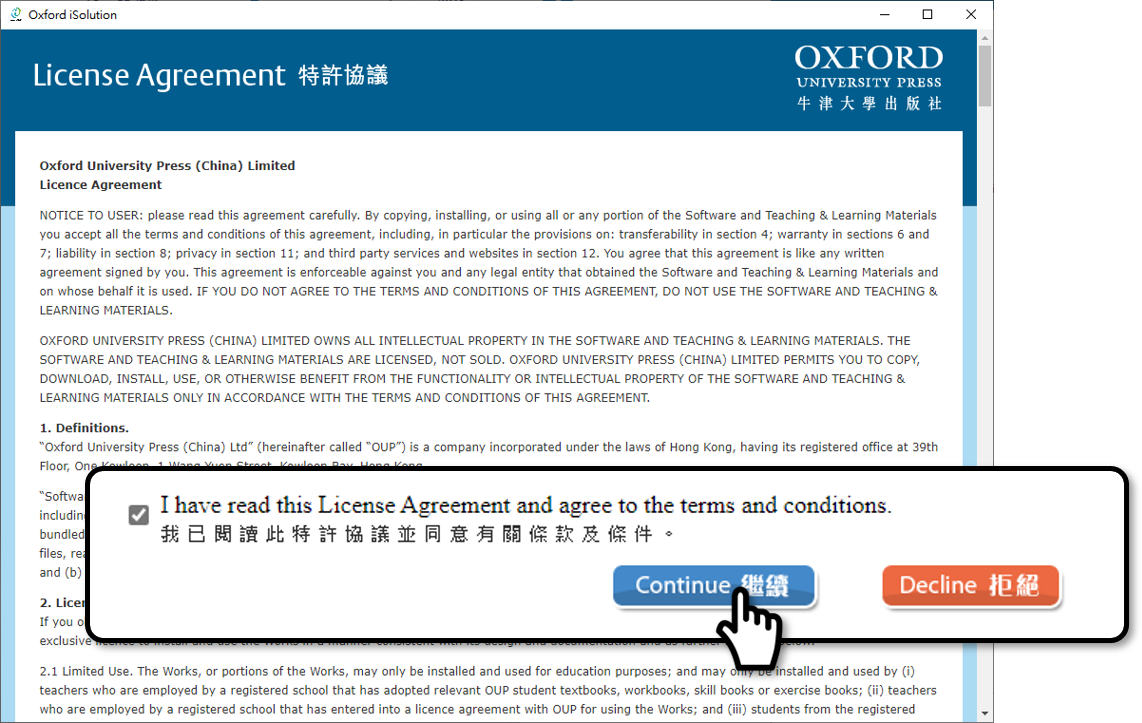 |
| 3. | Log in to Oxford iSolution with the username and password given by your teacher.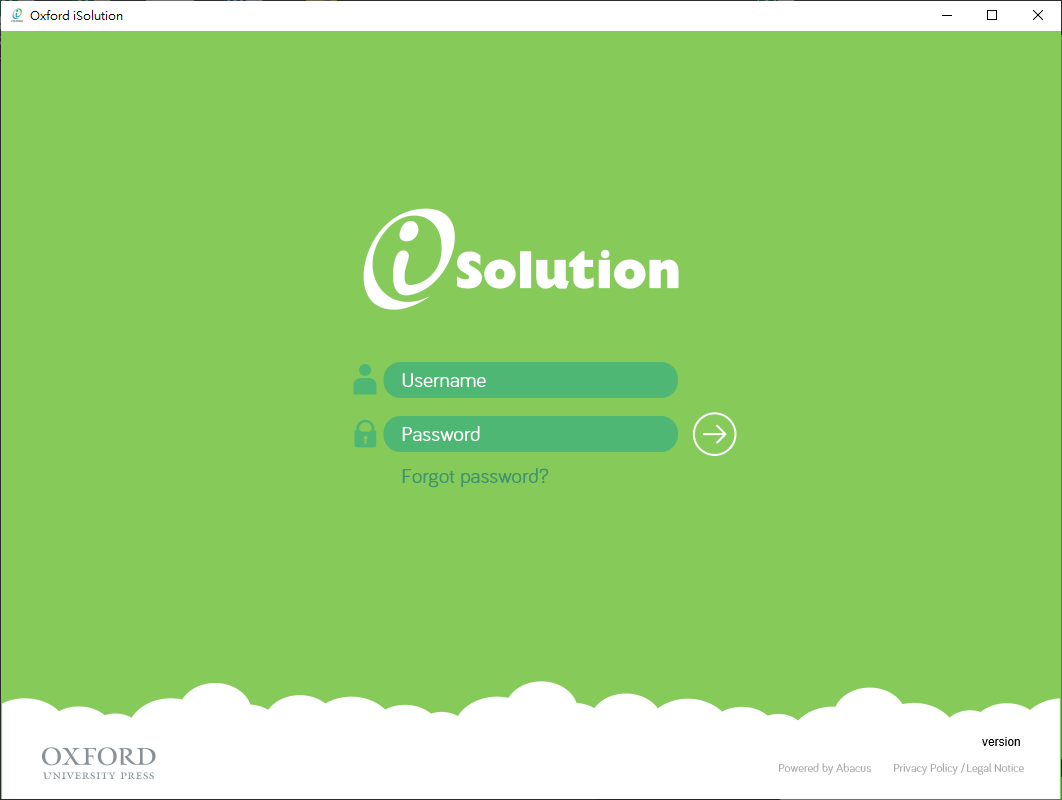 |
| 4. |
Click/Tap the icon to download your e-Textbook. Once the download is completed, you will be directed to the contents of the e-Textbook.
* Different e-Textbooks have different components. The pages shown in the steps are for reference only. 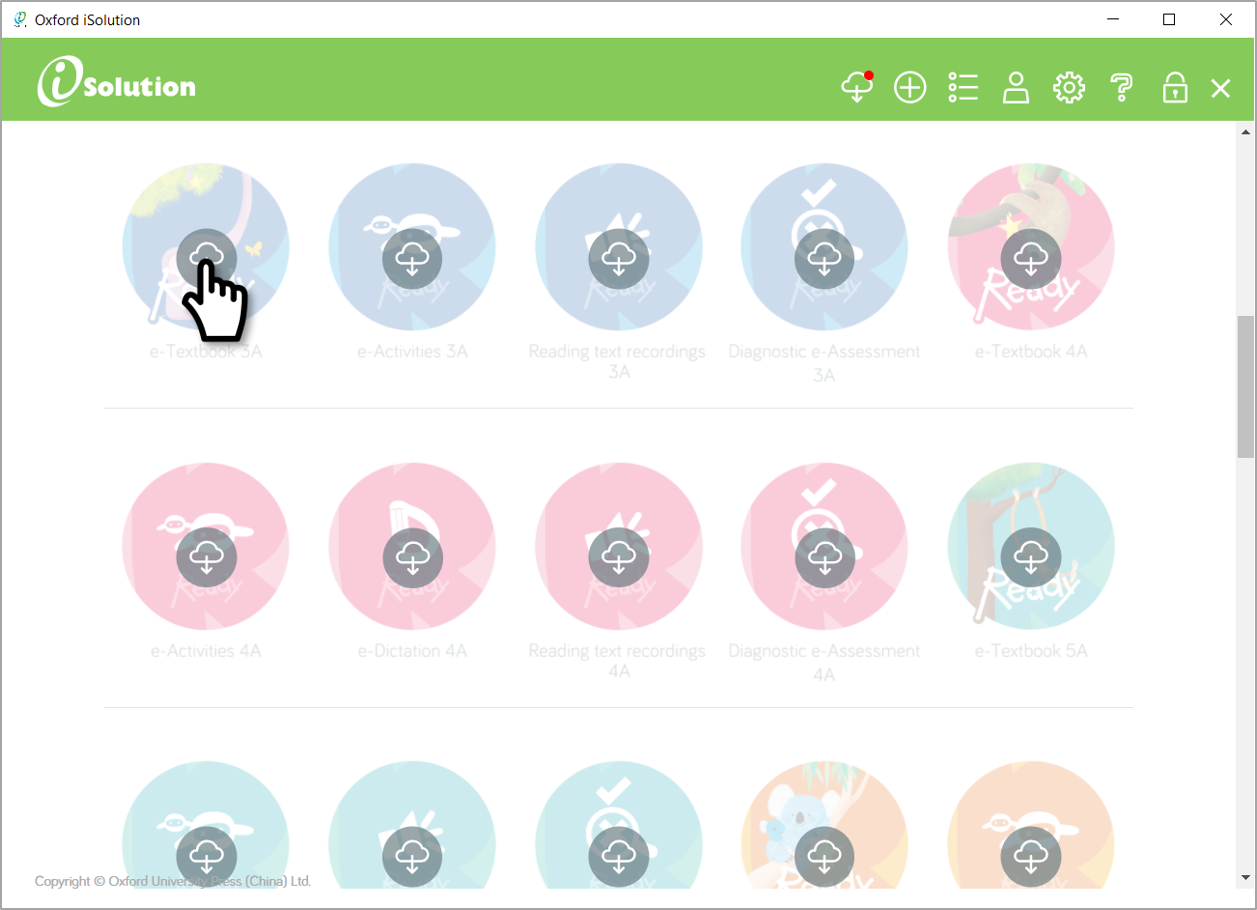 |
| 5. | Click/Tap  to download and view the contents of the e-Textbook. to download and view the contents of the e-Textbook.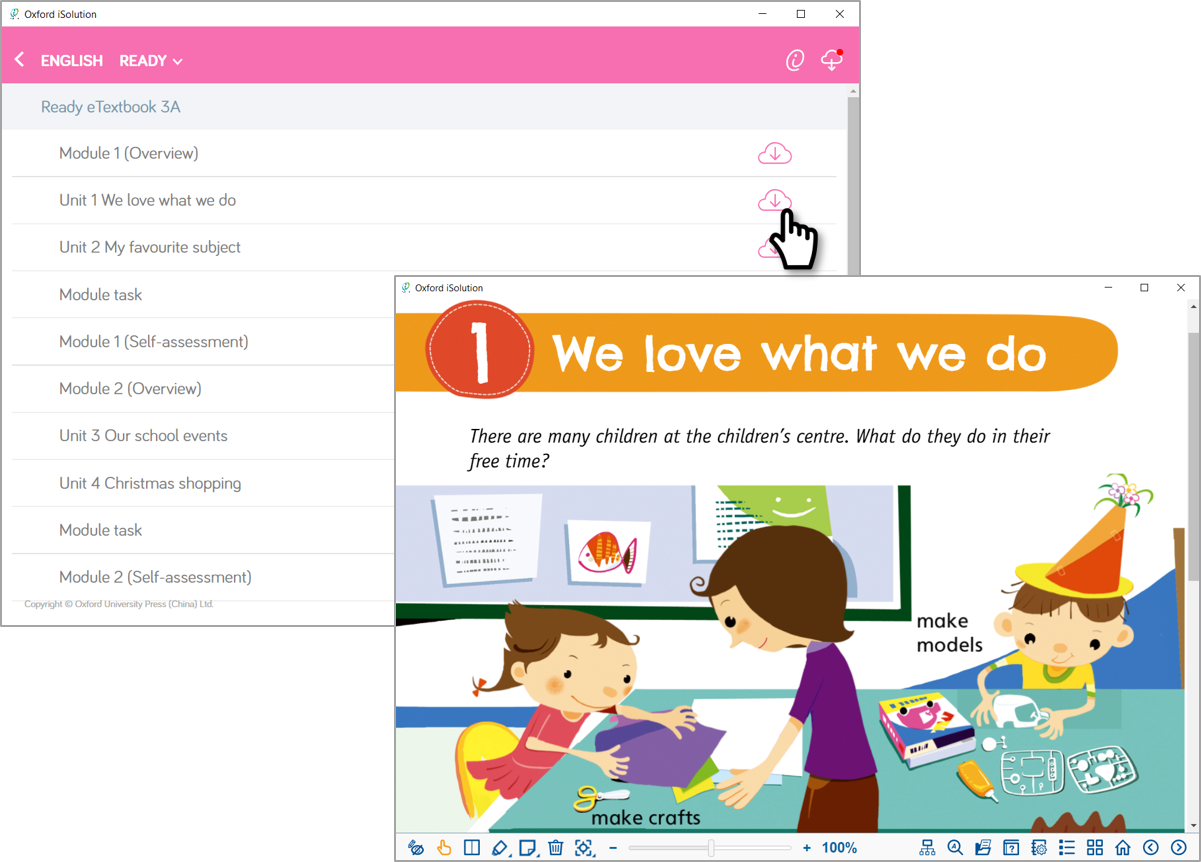 |